License
Practice use license for one studio or individual. Do not redistribute or resell the system templates.
A setup system for building an AI assistant tuned to how your design or architecture practice actually works — with memory, roles, and workflow logic.
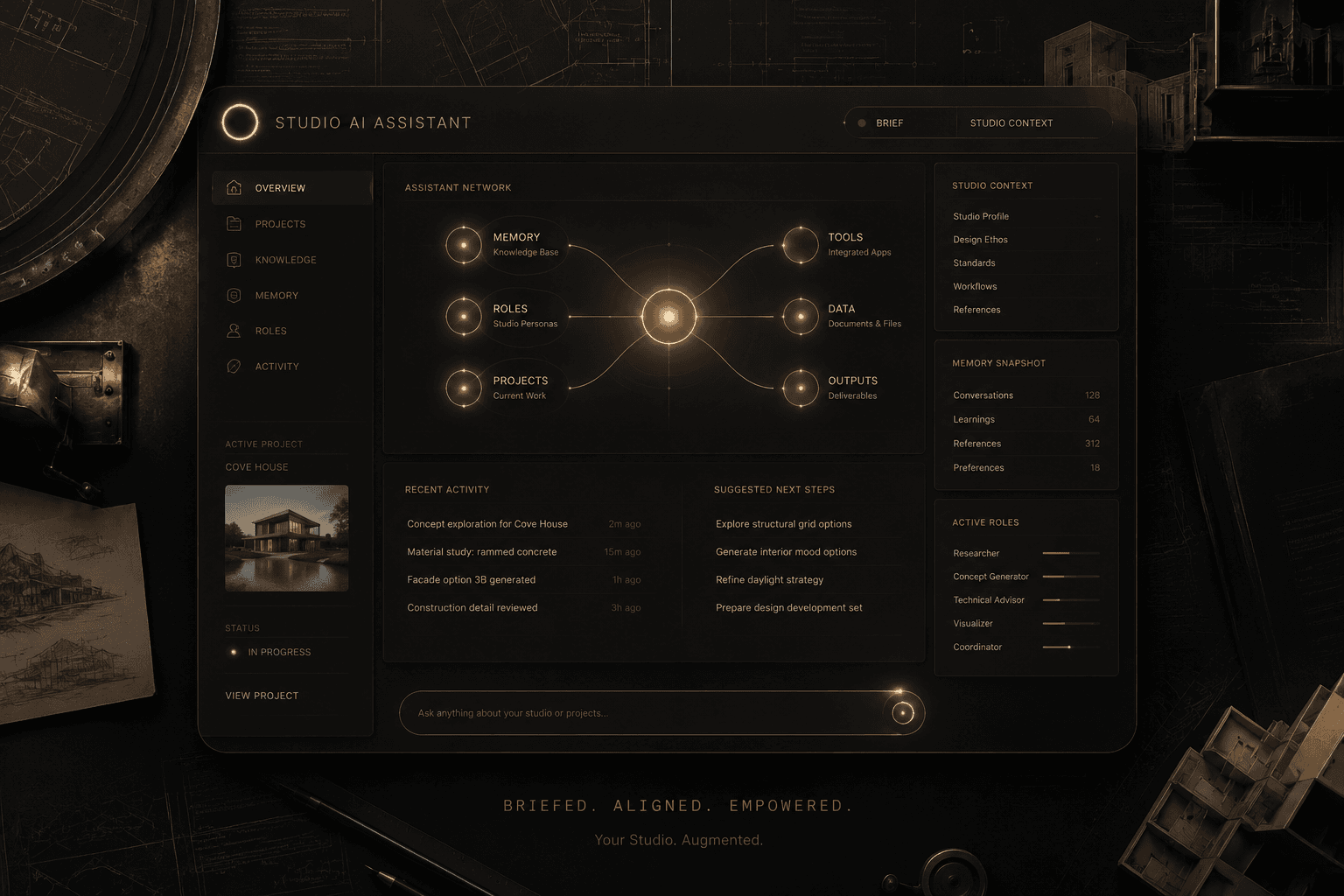
Studio AI Assistant is a setup system for building an AI assistant that actually understands how your practice works — your standards, your terminology, your client tone, your project structure.
It covers knowledge capture, agent role definition, project memory, and workflow automation for the tasks that repeat on every project.
The result is an AI tool that works like a team member who has been briefed, not a generic assistant that needs re-briefing every session.
Studio leads, architects, and design directors who want to build an AI assistant tuned to how their specific practice works — not a generic chatbot.
Studio setup system guide (PDF)
Knowledge capture templates (standards, terminology, preferences)
Agent role prompt structures
Project memory framework
Workflow automation prompt templates
Client communication tone guide
Integration setup notes for major AI tools
Complete the knowledge capture templates — your studio standards, material preferences, communication tone.
Define your AI agent roles using the provided prompt structures.
Set up project memory for active projects so the assistant always has context.
Build automation prompts for repeating tasks: briefs, reports, file naming, follow-ups.
Integrate with your preferred AI tool using the setup guide.
Studio knowledge capture — document standards, tone, and preferences once
Agent role definitions for research, writing, coordination, and review
Project memory structure so AI always has the current context
Workflow automation for briefs, reports, follow-ups, and file naming
Client communication tone and template system
Integration guide for Claude, ChatGPT, and other tools
Practice use license for one studio or individual. Do not redistribute or resell the system templates.
Digital products are non-refundable after access is granted. Contact support@dplab.store within 48 hours for access issues.
Primarily designed around Claude and ChatGPT, with setup notes for both. Works with any conversational AI that accepts system-level context.
Both. Knowledge capture and agent setup is useful for solo practitioners. The coordination and project memory features add more value in team contexts.
Join the waitlist to lock the launch price before it increases at general release.
Need a custom AI assistant configured for your studio's projects, standards, and client tone? Send a message and Ramy replies directly.
Join the waitlist to hear the moment it's ready. No payment is processed on this page.
Additional releases connected by category, workflow, or format.